Warehouse Bins
Warehouse Bins
If you are using the Warehouse Module then this tab will let you see at a glance what products are in which warehouse bin and location.
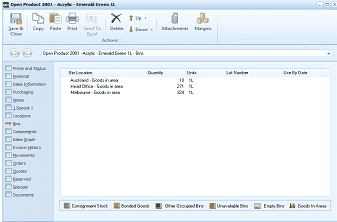
The Bins (Warehouse Bins) tab of the "Open Product 2001 - Acrylic - Emerald Green 1L" screen in ABM. The toolbar shows Save & Close, Copy, Paste, Print, Send To, Delete, Browse, Attachments, and Margins buttons. The left navigation panel shows product tabs with "Bins" selected. The main area displays a data grid with columns: Bin Location, Bin Description, Quantity, Unit, Lot Number, and Use By Date. Three rows are shown: "Auckland - Goods in area" (18 units, 1L), "Head Office - Goods in area" (279 units, 1L), and "Melbourne - Goods in area" (326 units, 1L). At the bottom are icon-labeled filter buttons for: Consignment Stock, Bonded Goods, Other Occupied Bins, Unavailable Bins, Empty Bins, and Goods In Areas.