Product Accounts - Product Restrictions
Product Accounts - Product Restrictions
You can restrict the sale of a product to a particular customer or a number of customers. For example if you manufacture products for customer A and by agreement cannot sell these products to any other customer then you can restrict the sale of that product to customer A only.
To select customers for whom you wish to restrict the sale select "Notes" and select "Add Restriction".
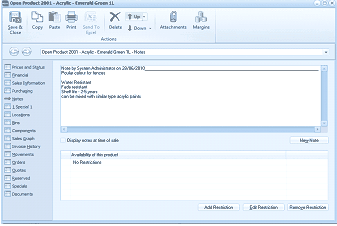
The Notes tab of the "Open Product 2001 - Acrylic - Emerald Green 1L" screen in ABM, showing the product restrictions area. The toolbar includes Save & Close, Copy, Paste, Print, Send To, Delete, Browse, Attachments, and Margins buttons. The left navigation panel shows various product tabs. The main area displays a notes section with a note by "System Administrator on 20/06/2014" containing product details. Below is a "Display notes at time of sale" checkbox. The lower section shows "Availability of this product" with the text "No Restrictions". At the bottom are three buttons: "Add Restriction", "Edit Restriction", and "Remove Restriction", used to manage which customers can purchase this product.
You can add specific customers, specific customer groups or specify a category.