Product Accounts - Quotes
Product Accounts - Quotes
This section displays information relating to the product if it has been included in quotes and in job estimates. Users considering price changes can therefore quickly review their outstanding commitments.
You can select the appropriate radio button to display Current Quotes, Accepted Quotes or All Quotes.
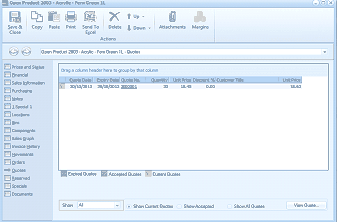
The Quotes tab of the "Open Product 2803 - Acrylic - Fern Green 1L" screen in ABM. The toolbar shows Save & Close, Copy, Paste, Print, Send To, Delete, Browse, Attachments, and Margins buttons. The left navigation panel shows product tabs with "Quotes" selected. The main area displays a data grid with columns: Quote Date, Entity/Group, Quote No, Quantity, Unit Price, Discount %, Customer, and additional columns. Quote entries are listed with dates and associated customer information. At the bottom are radio buttons for filtering: Current Quotes, Accepted Quotes, Show Current Quotes, Show Accepted, Show All Quotes, and a "View Quote" button.