Product Accounts -Notes
Product Accounts -Notes
You can add notes to a product and have these notes pop-up when you select this product. To add a new note select the Notes tab and enter the details as required. If you want this note to pop-up when selling this product then select the Check Box .
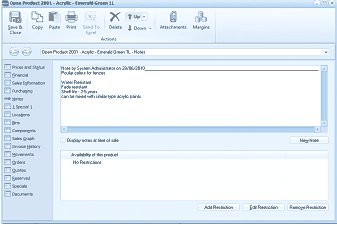
The Notes tab of the "Open Product 2001 - Acrylic - Emerald Green 1L" screen in ABM. The toolbar shows Save & Close, Copy, Paste, Print, Send To, Delete, Browse, Attachments, and Margins buttons. The left navigation panel displays various product tabs with "Notes" area visible. The main area shows a notes section with an entry "Note by System Administrator on 20/06/2014" containing text about "Powder colour for fences" and product details such as "Fades resistant, Fade to UV, can be mixed with Interior type Acrylic paints." Below is a "Display notes at time of sale" checkbox. Further down is an "Availability of this product" section showing "No Restrictions". At the bottom are three buttons: "Add Restriction", "Edit Restriction", and "Remove Restriction", along with a "New Note" button.