Customer Accounts - Recent Sales
Customer Accounts - Recent Sales
The Recent Sales tab shows both Customer Sales Statistics and Past Sales
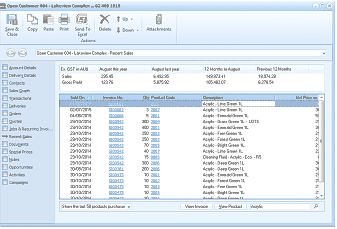
The customer account window showing the Recent Sales tab. The left sidebar displays navigation tabs with "Recent Sales" selected. At the top of the main area is a summary row showing "Ex GST ex All" with columns for the current month (August this year), August last year, 12 Months to August, and Previous 12 Months, displaying Sales, Cost, and Gross Profit figures. Below is a "Past Sales" data grid with columns for Sold On (date), Invoice No, Qty (quantity), Product Code, and Product Title. The grid shows multiple rows of sales transactions with product details such as various product names and codes. At the bottom are filter options including "Show the last 50 products purchased" and buttons for "View Invoice", "View Product", and "Analyse".
Customer Sales Statistics
A summary of the sales and gross profit on sales to the particular customer are shown for the current month, this month last year, year to date and year to date last year.
Past Sales
Details of products purchased by the customer are displayed here, including when the sales were invoiced, the quantity, the product code, title, and net price excluding tax.
Selection Options Available from the drop down list.
- Show all past purchases by this customer
- Show the last 50 products purchased by this customer
- Show purchases in the past month
- Show purchases in the past three months
- Show purchases in the past six months
- Show purchases in the past year
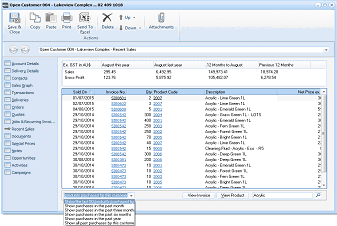
The customer account Recent Sales tab showing a detailed past sales listing. The summary statistics at top show Ex GST ex All values for the current month, same month last year, 12 months year-to-date, and previous 12 months for Sales, Cost, and Gross Profit. The past sales grid displays columns for Sold On, Invoice No, Qty, Product Code, Description, and Net Price ex GST. Multiple transaction rows are listed showing dates, invoice numbers, quantities, product codes, and product descriptions. At the bottom is a dropdown filter for time period selection and buttons for "View Invoice", "View Product", and "Analyse".
- View Product: By selecting a product and selecting 'View Product', all the information relating to that product is displayed.
- Search: You can search for any item based on the details displayed such as Product Code, Product Description or (part of the description), Reference, Price or Date by entering the required search data and selecting the search finder.
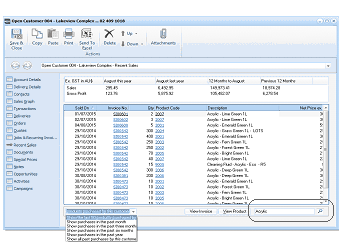
The customer account Recent Sales tab with the search and filter dropdown visible at the bottom. The sales statistics summary is shown at the top. The past sales grid displays transaction data with columns for Sold On, Invoice No, Qty, Product Code, Description, and Net Price. A dropdown menu at the bottom shows time-based filter options including: "Show all past purchases", "Show purchases in the past month", "Show purchases in the past three months", "Show purchases in the past six months", "Show purchases in the past year", and "Show all past purchases by this customer". Buttons for "View Invoice", "View Product", and "Analyse" are visible at the bottom right.
- Filtering: You can filter on any column by selecting that column and selecting the appropriate criteria from the drop down list.
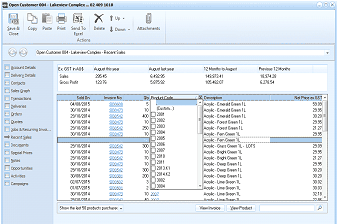
The customer account Recent Sales tab demonstrating column filtering. The sales statistics summary is displayed at top. The past sales grid shows transaction data. A column filter dropdown is visible on one of the columns, allowing users to filter the displayed data by specific criteria within that column. The grid continues to display product codes, descriptions, quantities, and pricing information. Filter and display options remain at the bottom of the screen.