Supplier Accounts - Requisitions
Supplier Accounts - Requisitions
Details of any requisition made to the supplier are displayed in the 'Requisitions' screen.
-
View Requisition Details: This option allows you to view the selected requisition in more detail, e.g. Description, Quantity, Price, Discount, and allows you to export the transaction to Excel for further analysis, add a new note against the transaction, and preview print or e-mail the transaction.
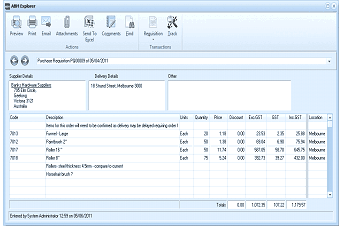
The ABM Explorer window showing a purchase requisition transaction in detail. The toolbar at top includes buttons for Preview, Print, Email, Attachments, Send To, Comments, Find, and additional action buttons including Requisition and Order. Below shows "Purchase Requisition" with a date. The screen displays Supplier Details (showing supplier name and address), Delivery Details (showing delivery address), and Other section. A note is visible stating items on order need to be confirmed. The main grid lists line items with columns for Code, Description, Units, Quantity, Price, Discount, Exc GST, GST, and IST. Multiple product lines are shown including items like panels, fittings, and hardware with pricing details. Totals are displayed at the bottom. The status bar shows "Entered by System Administrator" with a date.
Transaction Details