Previewing Reports
Previewing Reports
Select a report from the Report List.
Select Produce Report, where you have the option to customise the appearance of the report (see Customising Reports).
Select Start Report and the Report preview screen appears as below:
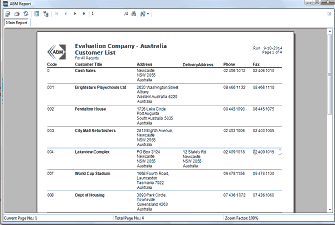
The ABM Report preview window showing an "Evaluation Company - Australia Customer List" report. The report displays a table with columns for Code, Customer Title, Address, Delivery Address, Phone, and Fax. Multiple customer records are visible including entries like Brightstars Playschoools Ltd, Fountaine House, City Mall Refreshments, Lawrence Complex, World Cup Station, and Days of Housing, each with their respective address, phone, and fax details. The toolbar at the top shows a Close Report button, and the bottom status bar displays Current Page No. and Total Pages along with a Zoom Factor set to 100%.
Report preview screen
The Report preview tool bar