Deleting a Product Account
Deleting a Product Account
You might want to delete a product from stock if, for example, it is not selling and you have decided to discontinue the line. To delete a Product Account:
-
Select Products in the Folders list (left of main screen) to display a list of any existing products in the main viewing area:
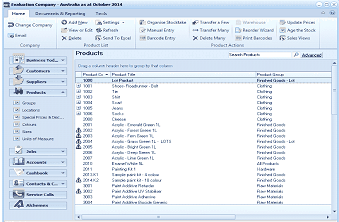
Image Description
The Products list view in ABM showing all products available in the system. The toolbar includes standard product management buttons. The left navigation panel shows the folder tree with Products selected. The main area displays a grid of products with columns for Product Code, Product Title, Product Group, and Product Category.
Product List
- Click once on the product to be deleted in order to highlight it.
- Press the 'Delete' key on your keyboard or alternatively, click 'Delete' at the top of the screen.