Foreign Currency Bank Accounts
Foreign Currency Bank Accounts
Setting up all accounts at the beginning and having all details to hand (such as consolidation account number, account group, and so on) will save time when posting transactions later. Editing account details to add extra information at a later date is extremely time-consuming.
To set up a Foreign Currency Bank Account:
-
Select Accounts in the Folders List (left of screen)
-
Select New in menu bar (at top of screen) and an Add New Ledger Account screen appears:
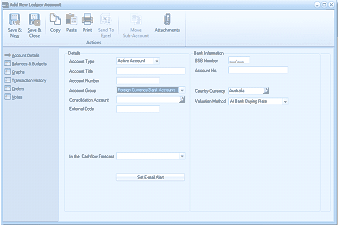
The "Add New Ledger Account" screen in ABM. The toolbar shows Save & Close, Save & New, Copy, Paste, Print, Send To, and Attachments buttons. The left navigation panel lists tabs: Account Details, Balances & Budgets, Equity, Consolidation/History, and Ordering. The main area has a "Details" section with fields for: Account Type (set to "Active Account"), Account Title, Account Group (dropdown showing "Money/Currency/Bank Accounts" highlighted in blue), Consolidation Account, and External Code. On the right side is a "Bank Information" section with fields for: BSB Number, Account No., Country/Currency (showing "Australia"), and Valuation Method (showing "At Bank Buying Rate"). At the bottom is a section labeled "In the Cash Flow Forecast" with a "Set Cash Plan" button.
- Add New Ledger Account
The New Ledger Account screen contains the following sections: