Editing Status Codes
Editing Status Codes
Sometimes it might be necessary to change the Status Code.
To edit a Status Code:
-
Select Jobs in the Folders list (left of screen) and the second level menu appears underneath.
-
Select Status Codes and a list of existing status codes (if any) appears in the main viewing area (right of screen).
-
Double-click the status code name that you want to edit and the details appear as below:
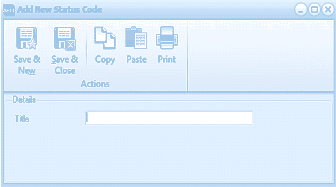
The "Add New Status Code" dialog window is displayed with a toolbar at the top containing Save & New, Save & Close, Copy, Paste, and Print buttons under an "Actions" section. The Details section contains a single "Title" text field where the status code name can be entered. The dialog is compact and simple in layout, used for editing the status code title.
In Progress Status
-
Edit the Status Code Title as required.
**Save Settings **To save the settings, select Save and Close at the top of the screen.