Generating a Business Bulletin
Generating a Business Bulletin
To manually generate the Business Bulletin, select Accounts from the navigation bar and select Business Bulletin from the main menu and select Generate Now from the drop-down list. A list of the saved bulletins will appear. Select the required Bulletin and this will create an Excel file showing the required information in various sheets.
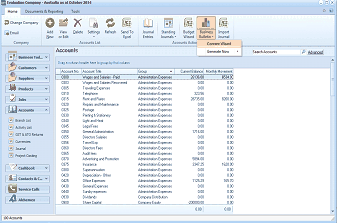
ABM main application screen showing the "Evaluation Company - Australia as at October 2011" window, similar to the Business Bulletin navigation screen. The toolbar at the top shows buttons for Change Company, Add, Files, Delete, Settings, Refresh, Send To, Normal, Standing, Budget Report, and Touch Accounts, along with a "Generate Now" button and "Advanced" option. The left sidebar shows the Business Trail navigation with categories including Suppliers, Customers, Products, Contacts & CRM, and Service Calls. The main content area displays an Accounts list with ledger accounts showing Account code, Account Title, Account type, Budget figures, and other values. The "Accounts Active" tab and Search Accounts are visible at the top right.
The last sheet of the bulletin will display the numeric values upon which the various analysis are based.
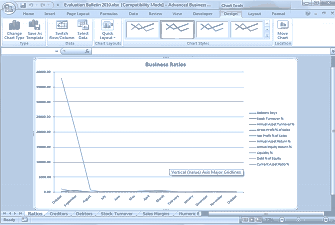
Microsoft Excel spreadsheet showing a generated Business Bulletin report titled "Evaluation Bulletin 2013.xlsx" in Compatibility Mode with the Advanced Business ribbon. The spreadsheet displays a "Business Ratios" line chart with multiple data series plotted over time. The legend on the right identifies the lines as: Debtors Days, Stock Turnover, Annual Asset Turnover, Gross Profit %, Net Profit %, Annual Profit Return %, Change Liquid Report %, Debt to Equity Ratio, and Current Asset Ratio. The Y-axis shows values from 0 to 35000+ and the chart includes gridlines. At the bottom, worksheet tabs are visible including Ratios, Creditors, Debtors, Stock Turnover, Sales Margins, and Numbers. The "Vertical (Value) Axis Major Gridlines" label is shown on the chart.
Excel file showing results generated.